> ## Documentation Index
> Fetch the complete documentation index at: https://upstash-dx-2808-improve-quickstarts.mintlify.site/llms.txt
> Use this file to discover all available pages before exploring further.
# Deno Deploy
This is a step-by-step guide on how to use Upstash Redis to create a view
counter in your Deno Deploy project.
### 1. Create a database
Create a Redis database using [Upstash Console](https://console.upstash.com) or
[Upstash CLI](https://github.com/upstash/cli). Select the global to minimize the
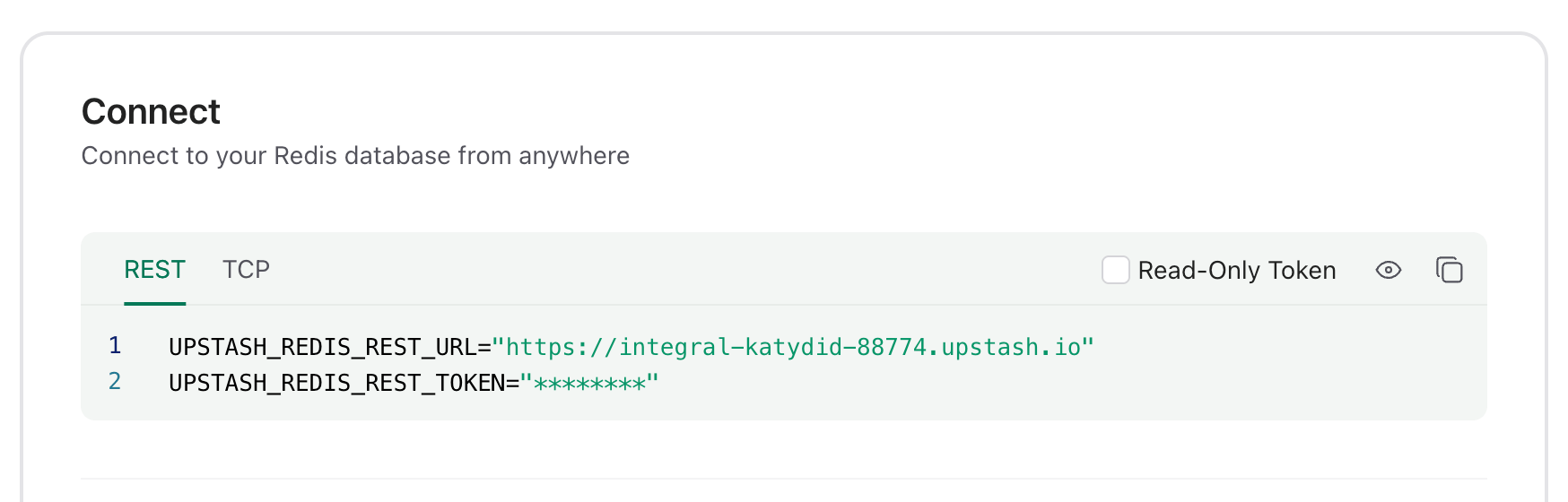
latency from all edge locations. Copy the `UPSTASH_REDIS_REST_URL` and
`UPSTASH_REDIS_REST_TOKEN` from the **Connect** section of your database for the
next steps.
 ### 2. Create a Deno Deploy playground
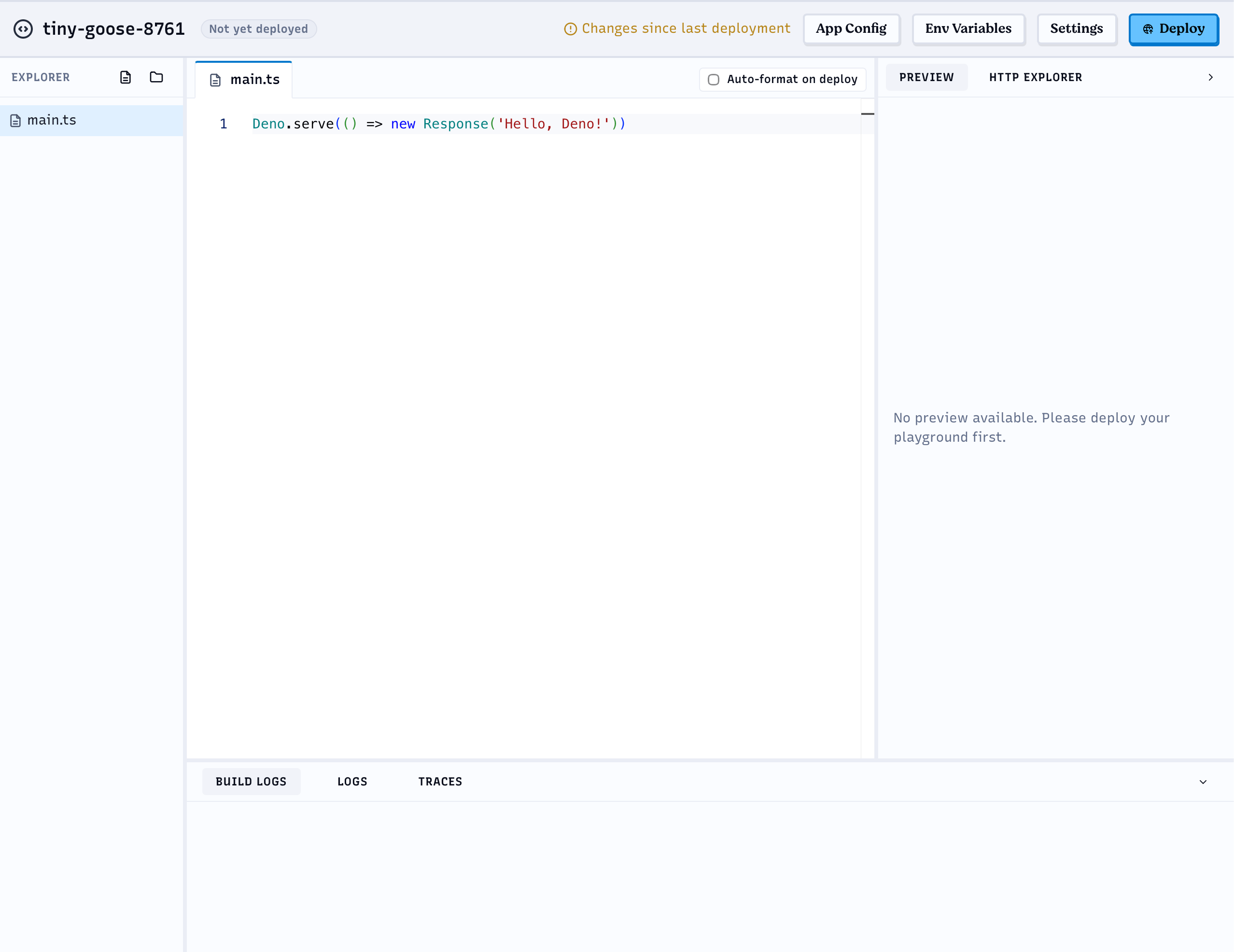
Go to [https://console.deno.com](https://console.deno.com), open your
organization's **Applications** page and click **New Playground**. This creates
a "Hello World" playground with a browser editor.
### 2. Create a Deno Deploy playground
Go to [https://console.deno.com](https://console.deno.com), open your
organization's **Applications** page and click **New Playground**. This creates
a "Hello World" playground with a browser editor.
 ### 3. Set the environment variables
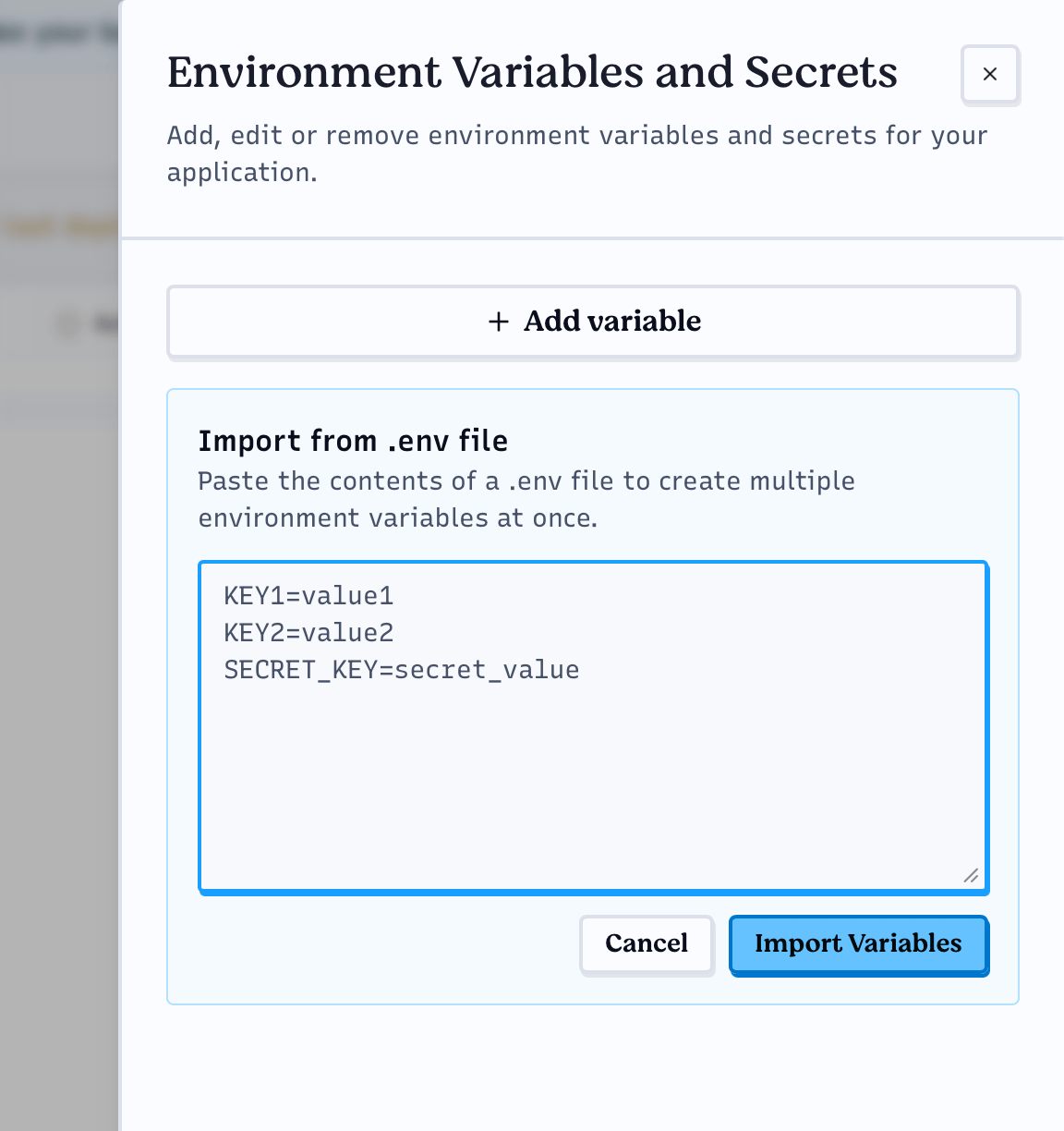
Click **Env Variables** in the top bar of the playground and add the
`UPSTASH_REDIS_REST_URL` and `UPSTASH_REDIS_REST_TOKEN` variables. You can add
them one by one with **Add variable**, or paste both lines you copied from the
Upstash Console into **Import from .env file** and click **Import Variables**.
### 3. Set the environment variables
Click **Env Variables** in the top bar of the playground and add the
`UPSTASH_REDIS_REST_URL` and `UPSTASH_REDIS_REST_TOKEN` variables. You can add
them one by one with **Add variable**, or paste both lines you copied from the
Upstash Console into **Import from .env file** and click **Import Variables**.
 ### 4. Edit the handler function
Paste the following code into the browser editor:
```ts theme={null}
import { Redis } from "npm:@upstash/redis";
const redis = new Redis({
url: Deno.env.get("UPSTASH_REDIS_REST_URL")!,
token: Deno.env.get("UPSTASH_REDIS_REST_TOKEN")!,
});
Deno.serve(async (req: Request) => {
if (new URL(req.url).pathname === "/favicon.ico") {
return new Response(null, { status: 404 });
}
const counter = await redis.incr("deno-counter");
return new Response(JSON.stringify({ counter }), {
status: 200,
headers: { "Content-Type": "application/json" },
});
});
```
### 5. Deploy and run
Click **Deploy** in the top bar. Once the build finishes, open the playground
URL to see the counter increase on every refresh.
### 4. Edit the handler function
Paste the following code into the browser editor:
```ts theme={null}
import { Redis } from "npm:@upstash/redis";
const redis = new Redis({
url: Deno.env.get("UPSTASH_REDIS_REST_URL")!,
token: Deno.env.get("UPSTASH_REDIS_REST_TOKEN")!,
});
Deno.serve(async (req: Request) => {
if (new URL(req.url).pathname === "/favicon.ico") {
return new Response(null, { status: 404 });
}
const counter = await redis.incr("deno-counter");
return new Response(JSON.stringify({ counter }), {
status: 200,
headers: { "Content-Type": "application/json" },
});
});
```
### 5. Deploy and run
Click **Deploy** in the top bar. Once the build finishes, open the playground
URL to see the counter increase on every refresh.