> ## Documentation Index
> Fetch the complete documentation index at: https://upstash-dx-2808-improve-quickstarts.mintlify.site/llms.txt
> Use this file to discover all available pages before exploring further.
# Google Cloud Functions
You can find the project source code on GitHub.
### Prerequisites
1. [Create a Google Cloud Project.](https://cloud.google.com/resource-manager/docs/creating-managing-projects)
2. [Enable billing for your project.](https://cloud.google.com/billing/docs/how-to/verify-billing-enabled#console)
3. [Enable the Cloud Run, Cloud Build, Artifact Registry, and Cloud Logging APIs.](https://console.cloud.google.com/flows/enableapi?apiid=run.googleapis.com,cloudbuild.googleapis.com,artifactregistry.googleapis.com,logging.googleapis.com)
### Database Setup
Create a Redis database using [Upstash Console](https://console.upstash.com) or [Upstash CLI](https://github.com/upstash/cli). Copy `UPSTASH_REDIS_REST_URL` and `UPSTASH_REDIS_REST_TOKEN` for the next steps.
### Counter Function Setup & Deploy
Google Cloud Functions is now part of Cloud Run, as Cloud Run functions. You create and deploy functions from the Cloud Run console.
1. Go to [Cloud Run](https://console.cloud.google.com/run) in Google Cloud Console.
2. Click **Write a function**.
3. Enter a service name, pick a region, and select a recent **Node.js** runtime.
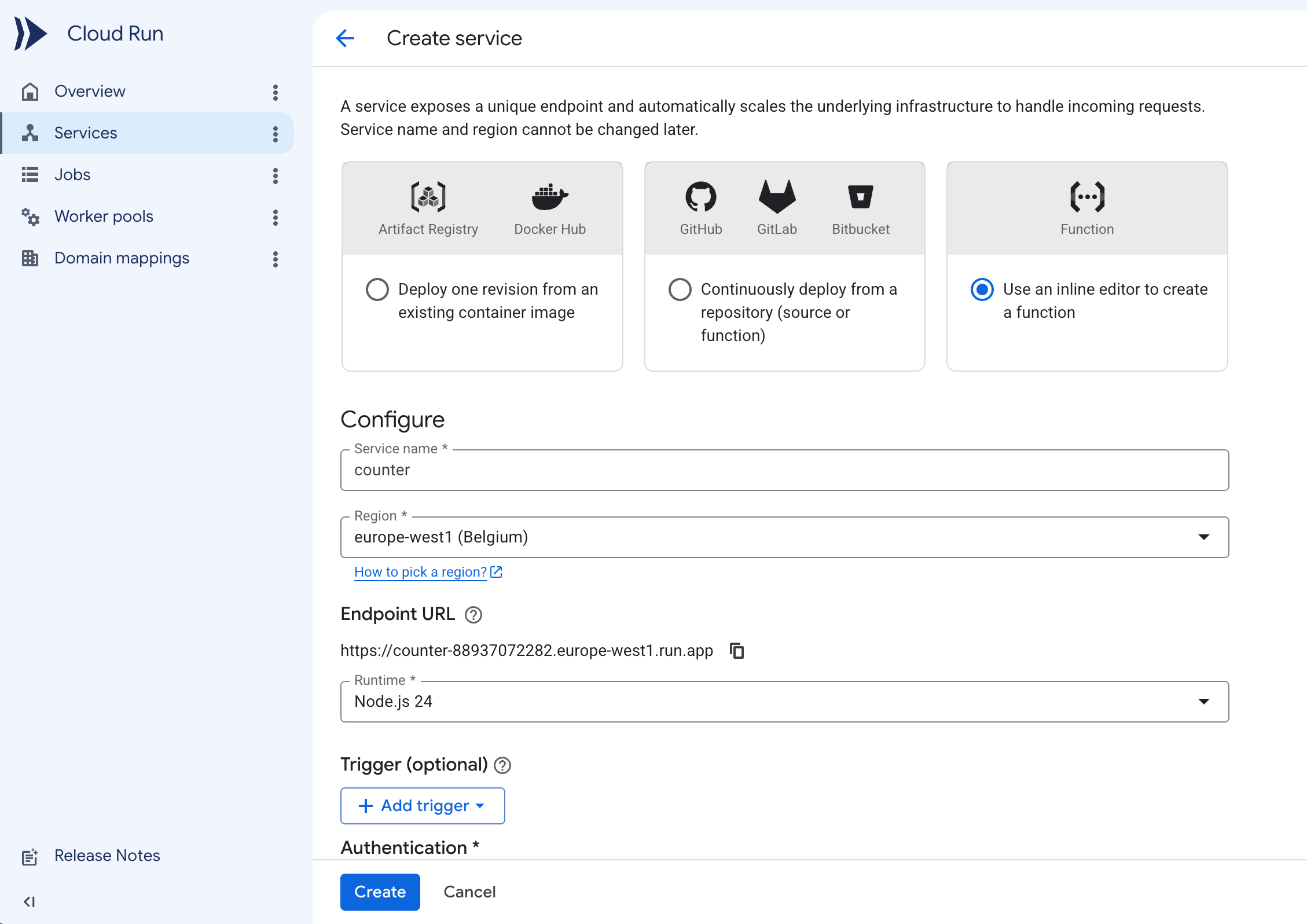 4. Under **Authentication**, select **Allow public access**.
5. Expand the **Containers, Volumes, Networking, Security** section. In the **Variables & Secrets** tab, add the `UPSTASH_REDIS_REST_URL` and `UPSTASH_REDIS_REST_TOKEN` environment variables with the values from your database.
4. Under **Authentication**, select **Allow public access**.
5. Expand the **Containers, Volumes, Networking, Security** section. In the **Variables & Secrets** tab, add the `UPSTASH_REDIS_REST_URL` and `UPSTASH_REDIS_REST_TOKEN` environment variables with the values from your database.
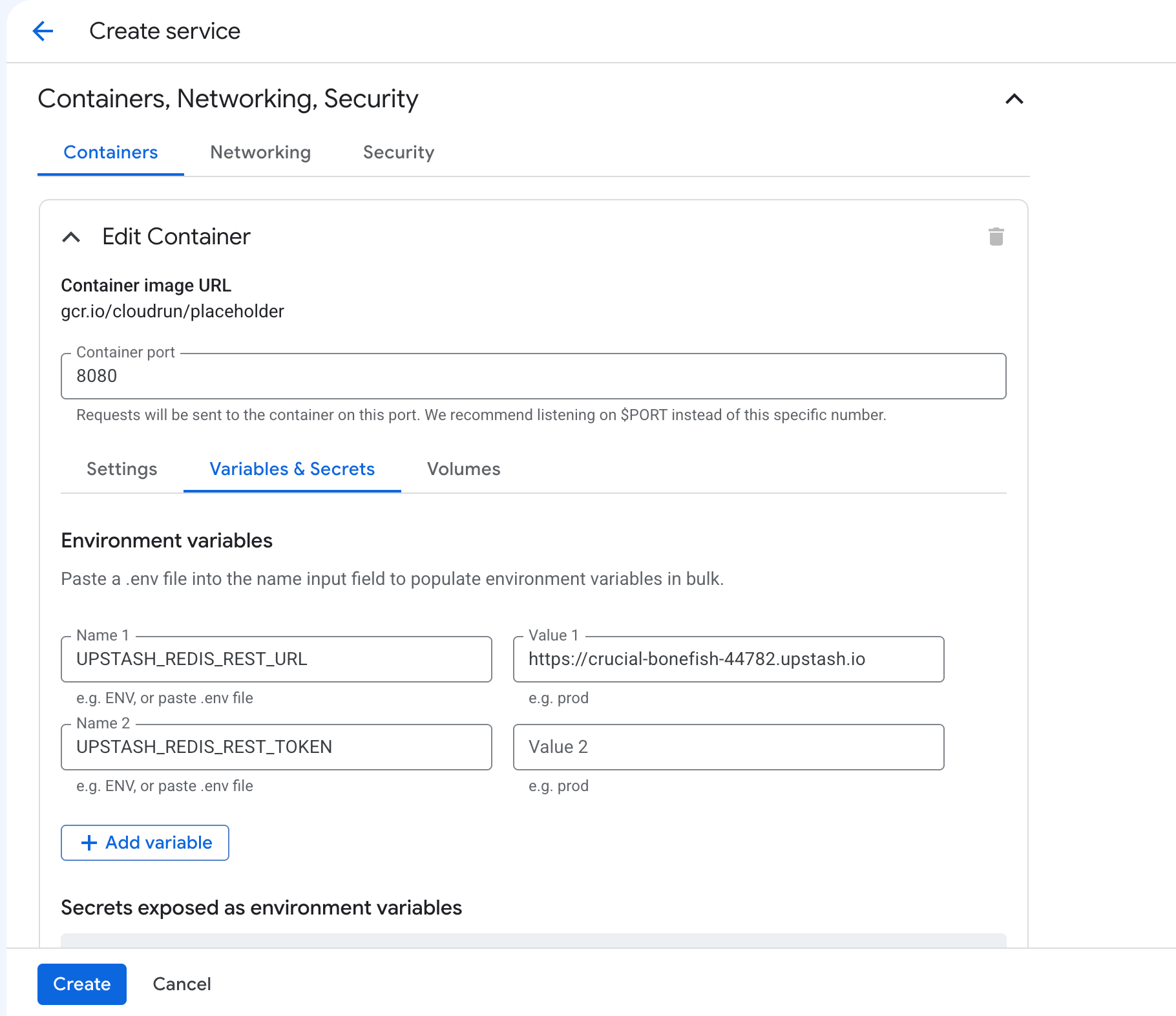 6. Click **Create**. The console creates the service and opens the inline source editor.
7. Set **Function entry point** to `counter`.
6. Click **Create**. The console creates the service and opens the inline source editor.
7. Set **Function entry point** to `counter`.
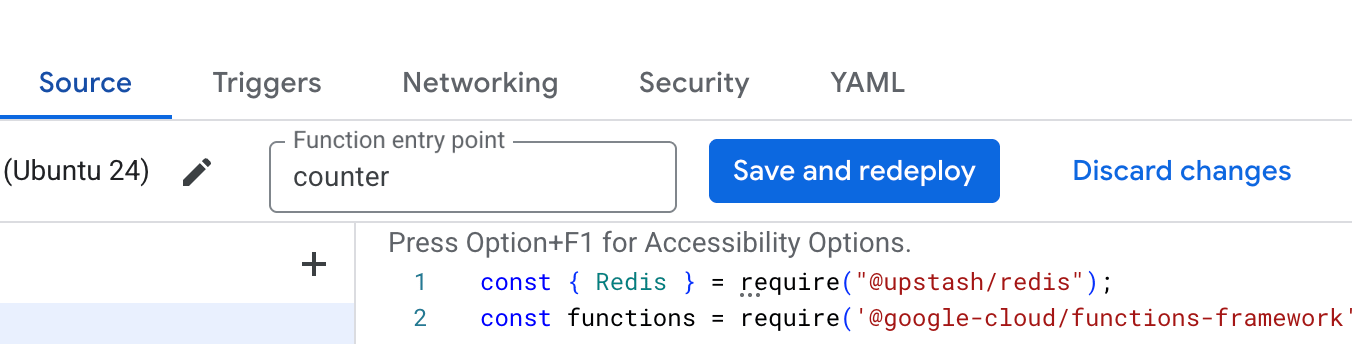 The entry point must match the name you register with
`functions.http('counter', ...)` below. If it stays at the default
`helloHttp`, the container starts no server and the deploy fails with a
"failed to start and listen on PORT 8080" error.
8. Update `index.js`
```js index.js theme={null}
const { Redis } = require("@upstash/redis");
const functions = require('@google-cloud/functions-framework');
const redis = new Redis({
url: process.env.UPSTASH_REDIS_REST_URL,
token: process.env.UPSTASH_REDIS_REST_TOKEN
});
functions.http('counter', async (req, res) => {
const count = await redis.incr("counter");
res.send("Counter:" + count);
});
```
9. Update `package.json` to include `@upstash/redis`.
```json package.json theme={null}
{
"dependencies": {
"@google-cloud/functions-framework": "^5.0.0",
"@upstash/redis": "^1.38.0"
}
}
```
10. Click **Save and redeploy**.
11. Visit the URL shown at the top of the service page.
The entry point must match the name you register with
`functions.http('counter', ...)` below. If it stays at the default
`helloHttp`, the container starts no server and the deploy fails with a
"failed to start and listen on PORT 8080" error.
8. Update `index.js`
```js index.js theme={null}
const { Redis } = require("@upstash/redis");
const functions = require('@google-cloud/functions-framework');
const redis = new Redis({
url: process.env.UPSTASH_REDIS_REST_URL,
token: process.env.UPSTASH_REDIS_REST_TOKEN
});
functions.http('counter', async (req, res) => {
const count = await redis.incr("counter");
res.send("Counter:" + count);
});
```
9. Update `package.json` to include `@upstash/redis`.
```json package.json theme={null}
{
"dependencies": {
"@google-cloud/functions-framework": "^5.0.0",
"@upstash/redis": "^1.38.0"
}
}
```
10. Click **Save and redeploy**.
11. Visit the URL shown at the top of the service page.